StartFragment
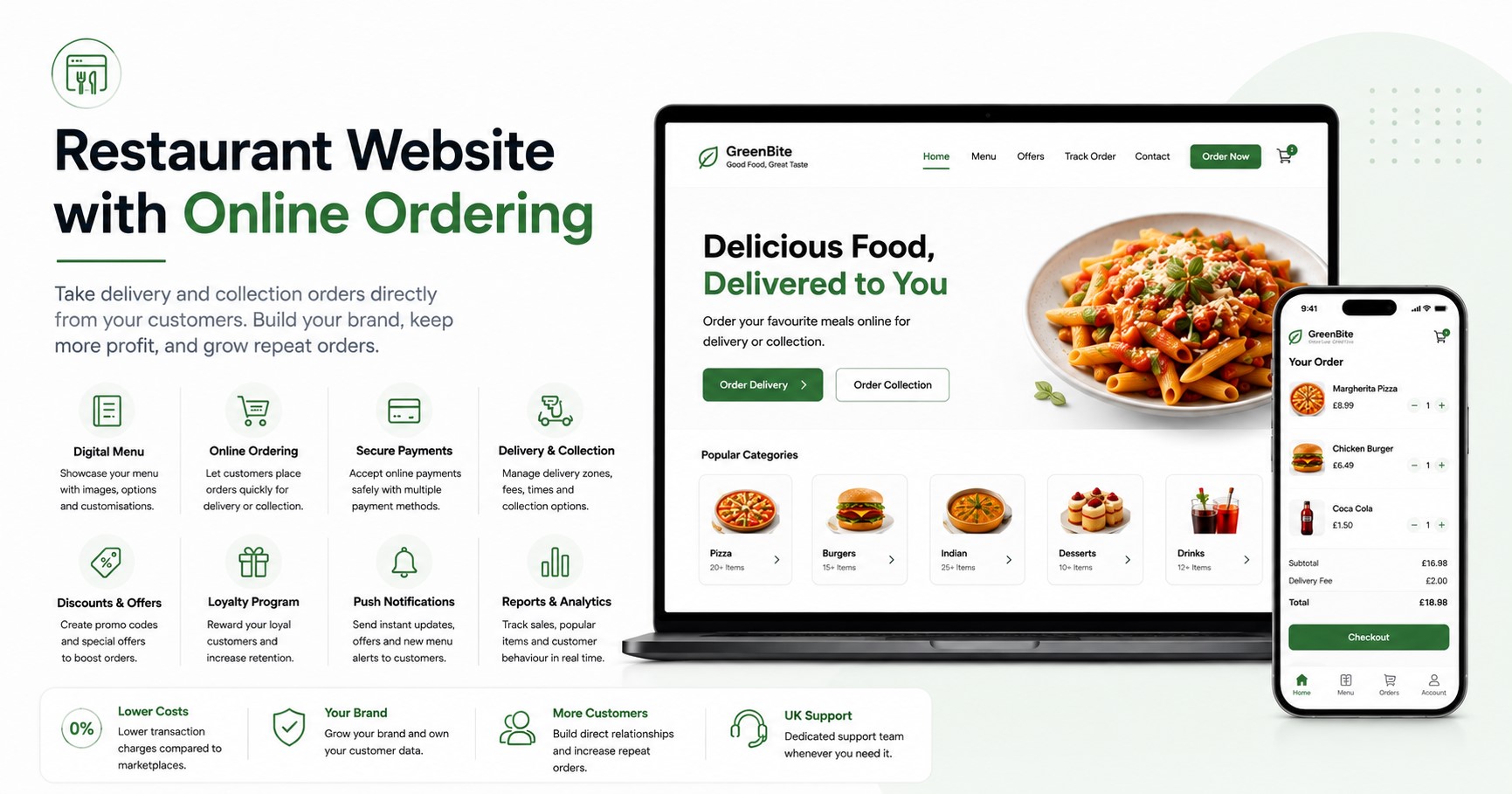
A restaurant website with online ordering lets customers view your menu, choose dishes, pay online, and place delivery or collection orders directly through your restaurant’s own branded website.
For UK restaurants and takeaways, this creates a direct ordering channel where you control the menu, pricing, promotions, branding and customer experience instead of sending every customer to a third-party food marketplace.
The important distinction is that a good restaurant website should not simply display your menu and phone number. It should actively turn visitors into paying customers.
That means combining your website, digital menu, checkout, payments and order management into one straightforward experience.
What Is a Restaurant Website with Online Ordering?
A restaurant website with online ordering is a website where customers can complete the entire food-ordering process online.
A customer should be able to:
- Visit your restaurant website.
- Browse your current menu.
- Select and customise dishes.
- Choose delivery or collection.
- Select an available time.
- Enter their details.
- Pay securely online.
- Receive an order confirmation.
The restaurant receives the order through its ordering system and prepares it according to the selected fulfilment method.
This differs from a basic restaurant website because the customer does not need to leave the website, telephone the restaurant, or find the business again on a delivery marketplace just to place an order.
For restaurants looking for this type of setup,OrderApps online ordering provides a fully branded restaurant ordering system for direct orders. OrderApps supports takeaway, delivery and other ordering modes while giving businesses control over their menus, prices, promotions and ordering settings.
Why Should Restaurants Take Orders Through Their Own Website?
The biggest advantage is control.
When a customer finds your restaurant and is ready to buy, sending that person elsewhere introduces another business between you and the customer.
A direct restaurant ordering website allows the ordering experience to remain centred around your business.
1. Build Your Own Brand
Customers see your restaurant name, logo, colours, menu and promotions.
They are buying from your restaurant, rather than experiencing your business as one listing among dozens of competitors.
That becomes particularly important with repeat customers.
Someone who already knows they want your pizza, curry or burgers does not necessarily need to browse a marketplace again. Giving that customer a convenient direct-ordering option can make your own website their preferred route back to you.
2. Keep More Control Over Order Economics
Third-party marketplaces can be useful for customer discovery, but the costs and contractual terms vary considerably between providers and restaurants.
Direct ordering has costs too, so it should not automatically be described as free.
The commercial advantage is greater control over how orders are generated, which technology provider you use, what promotions you run and how much you are willing to spend to acquire repeat customers.
OrderApps, for example, currently publishes plans starting at £19 per month, plus a one-time £99 setup fee and transaction charges depending on the selected plan.
Restaurants should compare the complete cost per order rather than focusing only on whether a provider uses the word “commission.”
3. Build Direct Customer Relationships
A restaurant does not only need today's order. It needs the customer's next order too.
A direct ordering platform can help you build a customer database that supports:
- Loyalty rewards
- Special offers
- Email campaigns
- Push notifications
- Customer reactivation
- Personalised promotions
- Repeat-order marketing
OrderApps includes loyalty and engagement functionality, with more advanced automated email and push-notification marketing available on its Premium plan.
Instead of repeatedly paying to reach the same customer elsewhere, you can develop your own direct audience.
4. Control Your Menu, Prices and Promotions
Restaurants change constantly.
A dish sells out. Prices change. A new meal deal launches. Delivery availability changes during a busy evening.
Your ordering system therefore needs to give you control over:
- Menu items
- Product descriptions
- Prices
- Availability
- Modifiers
- Promotions
- Discounts
- Delivery settings
- Collection options
WithOrderApps, businesses can update menus, prices and website design while controlling their direct ordering experience from the platform.
5. Make Ordering Easier for Customers
Convenience directly affects whether someone completes an order.
Imagine a customer searches for your restaurant on their phone.
They find your website but can only see a PDF menu and telephone number.
Now compare that with a website where they can immediately tap Order Online, select their meal, customise it, choose delivery and pay.
The second journey removes unnecessary steps.
A strong restaurant ordering website should be designed around that journey.
What Features Should a Restaurant Online Ordering Website Have?
Not every food ordering website provides the same functionality.
Before choosing a platform, look beyond the appearance of the homepage and check what happens after a customer presses Order.
Mobile-Friendly Ordering
Your ordering experience should work smoothly on smartphones.
Customers should not need to zoom in, navigate tiny buttons or complete unnecessarily long forms.
Menu browsing, customisation, checkout and payment should all be designed for mobile use.
Digital Menu Management
Your online menu should be easy for both customers and staff.
Useful capabilities include:
- Menu categories
- Product images
- Descriptions
- Prices
- Extras and modifiers
- Dietary information
- Availability controls
- Special offers
Restaurant staff should also be able to update the menu without contacting a developer every time something changes.
Delivery and Collection
A proper restaurant website ordering system should support the fulfilment options your business actually offers.
That can include:
Delivery: Customers enter their address and select an available delivery option.
Collection: Customers order ahead and collect their food from your restaurant.
Restaurants may also need scheduled orders and controls that help match incoming orders to kitchen capacity.
Secure Online Payments
Customers increasingly expect to complete the entire transaction digitally.
Your ordering system therefore needs secure payment processing and clear confirmation that an order has been accepted.
OrderApps sends payments directly to the restaurant's connected Stripe account rather than holding restaurant revenue as an intermediary.
Discounts and Promotions
Promotions can give customers a reason to order directly.
Examples include:
- First-order discounts
- Collection offers
- Meal deals
- Seasonal promotions
- Customer-specific rewards
- Discount codes
OrderApps allows restaurants to create discounts and special offers directly through the platform.
Loyalty Features
Acquiring a customer is only part of the job.
The more valuable question is:
How do you turn that customer into a regular?
A loyalty programme can reward direct customers and give them a reason to return to your own ordering channels.
This is particularly valuable for takeaways and restaurants where the same local customers may order multiple times each month.
Website vs Mobile App: Does a Restaurant Need Both?
A website and mobile app solve slightly different problems.
A restaurant ordering website is excellent for accessibility. A new customer can find your restaurant through Google, visit the site and order without installing anything.
A branded restaurant app is particularly useful for repeat customers because your business can remain directly accessible from their phone.
For an established takeaway or restaurant, using both can create a stronger direct-ordering ecosystem:
Google → Website → First Order → App/Loyalty → Repeat Orders
OrderApps' Growth plan includes own-branded iOS and Android apps alongside the restaurant's branded ordering website.
Businesses considering an app can see theOrderApps pricing and plan options to compare website-only and website-plus-app packages.
Restaurant Website vs Third-Party Delivery Marketplace
This does not have to be an either-or decision.
Marketplaces can help restaurants reach customers who are actively browsing for somewhere new to eat.
Your own website serves a different purpose: capturing direct demand from people who already know, search for or discover your restaurant.
AreaOwn Ordering WebsiteMarketplaceBrandingYour restaurantPlatform-ledCompetitors shown during orderingNoUsually yesMenu controlDirectSubject to platform setupCustomer relationshipMore directPlatform involvedLoyalty opportunitiesYour own programmePlatform dependentMarketing controlHighPlatform dependentNew customer discoveryRequires your own SEO/marketingStrong marketplace discoveryFeesDepends on providerDepends on marketplace agreement
A sensible strategy for many restaurants is therefore:
Use marketplaces for discovery where they make commercial sense, but give existing and returning customers an excellent direct-ordering option.
OrderApps has also published a detailed comparison ofdirect ordering vs Just Eat, Deliveroo and Uber Eats for restaurants evaluating the two approaches.
How Much Does a Restaurant Website with Online Ordering Cost?
The price depends heavily on how the system is built.
A bespoke website and ordering platform developed from scratch can involve web design, development, payment integration, hosting, maintenance and ongoing technical support.
A restaurant-specific SaaS platform usually lowers the upfront development requirement by providing the ordering infrastructure as a service.
For context, current OrderApps pricing is:
PlanMonthly PriceTransaction ChargeKey FeaturesStarter£193.9%Branded ordering website + built-in POSGrowth£29.991.9%Website + iOS/Android apps + reservationsPremium£39.991.49%Apps + reservations + QR/NFC ordering + automated marketing
There is currently a one-time £99 setup fee, which covers menu entry, branding and platform setup.
There is no long-term contract listed, and businesses can upgrade, downgrade or cancel their plan.
Always check the currentOrderApps pricing page before purchasing because plans and features can change.
Why OrderApps Is a Strong Choice for UK Restaurants
A restaurant owner could hire one company to build a website, another developer for an app, purchase separate POS software, install another reservation system and subscribe to another marketing platform.
Or those functions can be brought into a more connected restaurant technology stack.
That is the problem OrderApps is designed to solve.
OrderApps is a UK-focused restaurant ordering platform that combines direct ordering with additional restaurant tools as the business grows.
Your Own Branded Ordering Website
The ordering experience is built around your restaurant rather than OrderApps branding.
Your customers see your identity, menu and offers.
Branded iOS and Android Apps
Growth and Premium customers can add branded mobile ordering apps, giving loyal customers another direct route to the restaurant.
Built-In Point of Sale
OrderApps lists a built-in point-of-sale system for managing in-store and online orders, helping restaurants bring multiple order channels into one system.
Table Reservations
Restaurants on eligible plans can accept online table reservations with instant confirmations.
This means the same technology provider can support both diners who want to book a table and customers who want to order takeaway.
QR and NFC Table Ordering
Premium customers can let guests scan a QR code or tap an NFC tag to browse, order and pay from the table.
This extends the same ordering infrastructure beyond takeaway and delivery into dine-in service.
Marketing Tools
Email campaigns, push notifications, discounts and loyalty tools help restaurants work on the part of online ordering that is often overlooked: generating the second, third and fourth order.
Direct Stripe Payouts
OrderApps states that online payments go directly to the restaurant's Stripe account.
That provides a straightforward payment relationship between the restaurant and its connected payment processor.
UK-Based Support
Restaurant technology has to work when restaurants are busy, not merely during office setup.
OrderApps provides dedicated support and handles the initial menu entry, branding and technical platform setup.
How to Set Up Online Ordering for Your Restaurant
Getting online should not require a restaurant owner to become a web developer.
With a managed restaurant ordering platform, the process can be straightforward.
Step 1: Prepare Your Menu
Gather your current:
- Menu categories
- Products
- Prices
- Descriptions
- Options and extras
- Images
- Delivery information
Step 2: Add Your Branding
Your website should reflect your existing restaurant.
Use consistent:
- Logo
- Colours
- Photography
- Restaurant information
- Contact details
Step 3: Configure Ordering
Decide which services customers can use:
- Delivery
- Collection
- Scheduled ordering
- Dine-in ordering
Set your opening times, delivery availability and other order rules.
Step 4: Connect Payments
Configure your payment provider so customers can pay securely online.
OrderApps uses Stripe for direct restaurant payouts.
Step 5: Test the Complete Customer Journey
Do not test only the homepage.
Place a real test order from a phone and check:
Homepage → Menu → Item → Modifier → Basket → Delivery/Collection → Payment → Confirmation → Restaurant
Every step should be clear.
Step 6: Promote Direct Ordering
Once your website is ready, tell customers it exists.
Add your direct-ordering link to:
- Google Business Profile
- Email campaigns
- SMS messages
- Printed menus
- Receipts
- Packaging
- QR codes
- In-store signage
The goal is to make direct ordering the easiest option for customers who already know your business.
Can a Restaurant Ordering Website Help With SEO?
Yes, but simply installing an ordering system does not guarantee Google rankings.
Your restaurant website should also have strong local SEO foundations.
That includes:
- A clear restaurant name, address and telephone number
- Accurate opening hours
- Individual pages for important services
- An indexable HTML menu where appropriate
- Relevant title tags and meta descriptions
- LocalBusiness or Restaurant structured data
- Google Business Profile optimisation
- Genuine customer reviews
- Useful local content
- Fast mobile performance
- Internal links between relevant pages
For example, an Indian restaurant in Birmingham should not depend only on a homepage saying “Welcome to our restaurant.”
Its website should clearly communicate what the business is, what it serves, where it serves customers and how someone can order.
SEO creates visibility.
Your ordering system turns that visibility into revenue.
What Should You Look for Before Choosing a Restaurant Ordering System?
Before signing up, ask the provider:
- Will the ordering website use my restaurant's branding?
- Can I change my own menu and prices?
- What are the monthly and per-order charges?
- Where do customer payments go?
- Can customers order for delivery and collection?
- Does it support scheduled orders?
- Are iOS and Android apps available?
- Does it include loyalty and promotions?
- Can it handle table reservations?
- Is table ordering available?
- What POS functionality is included?
- Who handles initial setup?
- What customer support is available?
- Am I tied into a long-term contract?
- Can the platform grow with multiple locations?
The cheapest option is not automatically the best.
The better question is whether the system can generate orders, simplify operations and support profitable repeat business.
Frequently Asked Questions
What is the best restaurant website with online ordering?
The best restaurant website with online ordering is one that combines a fast mobile experience, digital menu, secure payments, delivery and collection options, menu management, promotions and reliable order management. The right platform should also fit the restaurant's budget and operational requirements.
Can customers order food directly from my restaurant website?
Yes. An integrated online ordering system allows customers to browse your menu, add items to their basket, choose delivery or collection, pay and submit the order directly online.
Do I need a mobile app if I already have an ordering website?
Not necessarily. A mobile-friendly website allows anyone to order without installing an app. A branded app can become more valuable for regular customers because it provides a convenient repeat-order channel and can support features such as loyalty rewards and push notifications.
How much does OrderApps cost?
OrderApps currently starts at £19 per month for its Starter plan. Growth costs £29.99 per month and Premium £39.99 per month. A one-time £99 setup fee applies, and each plan has its own transaction charge.
Does OrderApps provide restaurant mobile apps?
Yes. OrderApps Growth and Premium plans include own-branded mobile apps for iOS and Android.
Can OrderApps handle table reservations?
Yes. Table reservations are included with the Growth and Premium plans. The system supports online booking and instant confirmations.
Can customers order at the table?
Yes. OrderApps Premium includes QR and NFC table ordering, allowing customers to access the menu and order from their phones while dining in.
Does OrderApps include POS?
OrderApps currently lists a built-in point-of-sale system with its plans. Restaurants using an existing third-party POS should confirm integration compatibility with OrderApps before switching.
Turn Your Restaurant Website Into an Ordering Channel
Your restaurant website should do more than display a menu.
It should help turn people searching for your business into direct customers.
With OrderApps, you can start with a fully branded online ordering website from £19 per month and expand into branded iOS and Android apps, table reservations, QR and NFC table ordering, POS and automated marketing as your business grows.
Your restaurant stays at the centre of the experience.
Your brand. Your customers. Your ordering system.
EndFragment
Ready to grow your food business?
Commission-free ordering, branded apps, bookings, and EPOS on one platform.